
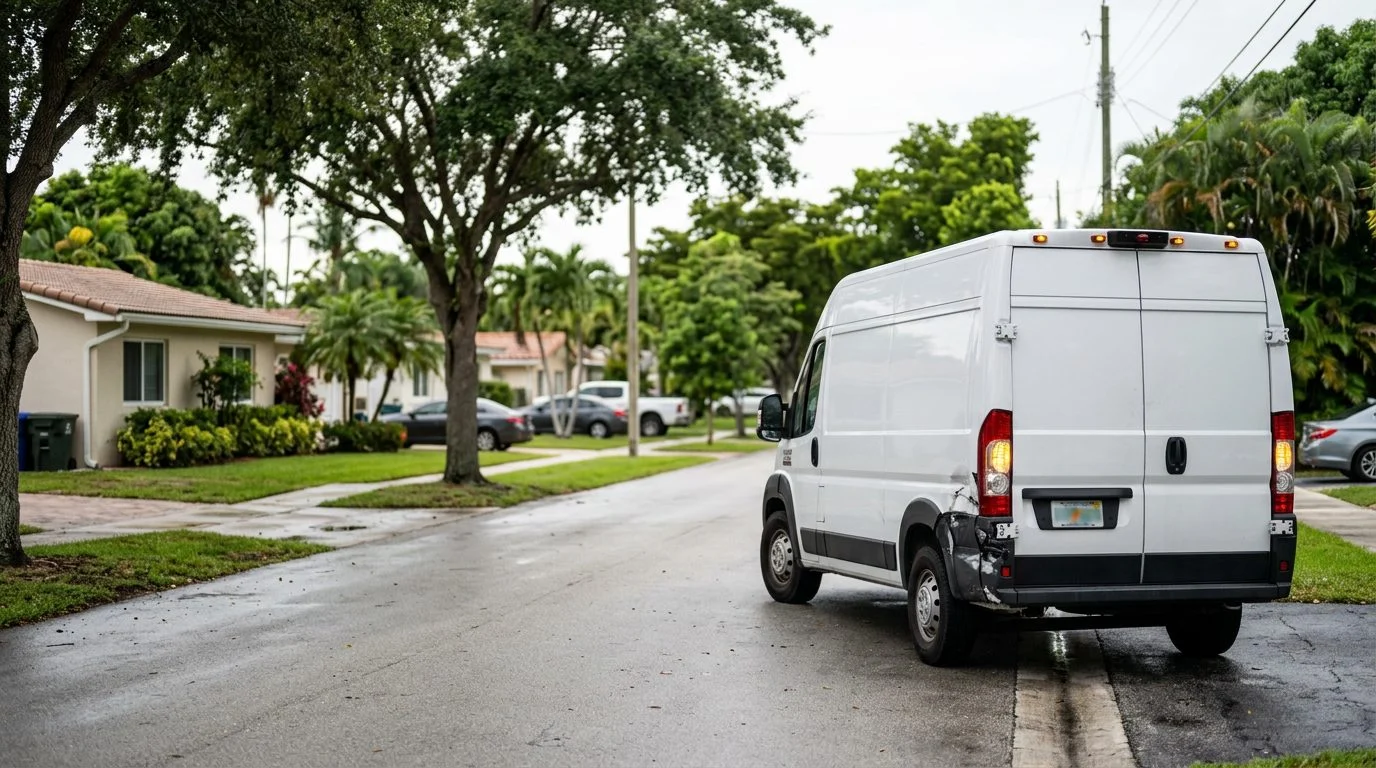
Amazon Truck Accidents | Serving Florida
Amazon Van Crash Evidence Can Disappear Fast. Act Early.
Telematics, dashcam video, and driver logs can show how a crash happened, but they are often overwritten or lost unless someone asks for them to be kept.
By CHG Lawyers · Published November 28, 2026
If an Amazon delivery van hit your car, your body, or your home, the proof may be held by companies, not by you. The short answer: ask in writing, right away, that the van’s location data, camera files, crash data, and driver logs be saved.
Companies can overwrite or discard these records through normal business work. Timing matters.
This guide explains each type of Amazon delivery van crash evidence. It also explains why that evidence can disappear. Finally, it covers what to do in the first days after a crash.
When an Amazon Delivery Van Is Involved in Your Crash
A delivery van crash can happen in many ways. A van may hit your car at an intersection. It may hit you while you walk or ride a bicycle. It may roll into a customer’s garage door while you are nearby.
In each case, the van’s data can show what happened in the minutes before impact.
Some Amazon vans are run by delivery service partners, not by Amazon itself. The data may be held by several parties at once. These include the delivery company, Amazon, and the software companies that run the van’s tracking and camera systems.
You may not know who holds what. So your request should reach every one of them.
This page is written by Igor Hernandez, a Florida lawyer with CHG Personal Injury Lawyers. The firm is based in Florida. It serves people throughout Florida, including in Miami, Orlando, Tampa, and Jacksonville.
If an Amazon van hit your car, your body, or your home, the proof of what happened can disappear quickly, and our team can help you ask for it in time. Talk it through with our team — the first consultation is free, confidential, and carries no obligation.

Why Delivery Van Evidence Can Disappear Quickly
Digital evidence can disappear through normal fleet operations. This often happens long before a lawsuit is filed. Location points, camera clips, and telematics events may be kept for limited periods. New data can then overwrite them.
Vans also get repaired, returned to service, or sold. Their onboard modules can be reset or replaced during that work. The old data can go with them.
A preservation request is a written demand. It asks a company to keep specific records and not destroy them. Federal rules set minimum retention periods. Sending a request early protects you.
Lawyers call the loss or destruction of evidence “spoliation.” Losing key proof can hurt a claim. That is why early requests matter.
GPS and Telematics: Speed, Braking, and Location
GPS and telematics data show where the van traveled. They show how fast it moved and how it braked over time. Telematics is the system that sends vehicle data from the van to the company’s software.
Fleet systems often log events like hard braking, sudden acceleration, and stop times. These entries can show the van’s path and timing before a crash. Investigators can compare them with the driver’s account and the police report.
The company or its software provider controls this data. You do not. Your request should name the data you want kept:
- Location history
- Speed logs
- Braking and acceleration events
- Stop records for the day of the crash
Ask for the raw data, not only a summary.
Dashcams: Forward-Facing and Driver-Facing Video
Dashcams are cameras mounted in the van. Some face the road ahead. Others also face the driver.
Video can show traffic signals, lane position, and following distance. It can also show whether the driver was looking at a phone or other device.
Many camera systems record on a loop. New footage writes over old footage. Some systems save a clip only when they detect a sudden stop or impact. Unsaved footage can be lost if no one asks for it.
Ask that all camera files be kept. This includes saved event clips, unsaved footage, and the camera or memory device itself. Ask the company to confirm in writing that it has preserved them.
Onboard Vehicle Data and the Van’s Crash Module
Many modern vehicles store a short record of data around a crash. This record sits in the airbag control module. It is often called the event data recorder.
It can capture details such as speed, brake use, and throttle position. It covers a brief period before impact.
The van itself is evidence. It should not be repaired, crushed, or sold until a qualified inspection can take place. Ask in writing that the van be kept. Ask that its crash module not be removed or reset.
Accident reconstruction professionals are outside engineers. They can read this data and explain it. Their conclusions depend on the vehicle, the module, and the data that survived the crash.
Driver Logs, Hours of Service, and Maintenance Records
Federal trucking rules require motor carriers to keep certain records. Two groups of records matter most here. These are driver hours and vehicle inspection records.
Hours of service. Except for a private motor carrier of passengers (nonbusiness), a motor carrier must require each driver to record duty status for each 24-hour period. Under 49 C.F.R. § 395.8, this is generally done with an electronic logging device (ELD). Under 49 C.F.R. § 395.30, a motor carrier must not alter or erase, or permit or require alteration or erasure of, the original hours-of-service information. It also must not alter or erase, or permit or require alteration or erasure of, the data streams behind it.
Maintenance records. These follow a shorter clock. Under 49 C.F.R. § 396.21, the periodic inspection report must be kept for fourteen months from the inspection date. That window is short. Ask for maintenance records early.
Whether these federal rules apply to a particular delivery van depends on the vehicle and how it is used. Still, ask for all of these records in writing.
Not sure what your next step is?
Talk it through with our team — the first consultation is free, confidential, and carries no obligation.
Evidence Outside the Van: Home Cameras, Witnesses, and Reports
A camera at a nearby home or business may have recorded the approach and impact. If a van hit a garage door, the homeowner’s doorbell or garage camera may be the only video of the crash.
Ask the owner to save that footage right away. Ask them to keep it in its original file format.
Other sources can include:
- Traffic or business cameras
- Video from witnesses’ phones
- 911 call records
- The police report
Under Fla. Stat. § 316.066, the officer’s Florida Traffic Crash Report, Long Form, must be submitted within 10 days after the investigation is completed.
Keep your own photos, medical records, and repair estimates in one place. Keep damaged items if you can.
A Plain Checklist for the Next Few Days
In the first few days, get medical care, document the scene, and ask in writing that evidence be saved. Follow your doctors’ instructions. This checklist does not replace their advice.
Then:
- Write down the date, time, and location. Note the van’s company name, the driver’s name if you have it, and any number printed on the van.
- Photograph the scene, the van, your vehicle or property, and any visible injuries.
- Ask nearby home and business owners to save camera footage. Note the police or crash report number.
- Send a written preservation request to the delivery company, Amazon, and any software provider you can identify. Keep a copy.
- Avoid posting details about the crash or your injuries online.
- Do not give a recorded statement to an insurance company before speaking with a lawyer.
- Keep one folder with bills, letters, insurance contacts, and repair estimates.
Florida Deadlines and Why Timing Matters
Florida generally allows two years to file a negligence lawsuit (Fla. Stat. § 95.11(5)(a)). Evidence can disappear much sooner than that. Waiting can cost you proof.
Except as otherwise expressly provided in this act, this act shall apply to causes of action filed after the effective date of this act (Ch. 2023-15, § 30, Laws of Fla.). Under ch. 2023-15, Laws of Florida, its modified comparative fault rule applies to lawsuits filed after March 24, 2023.
Florida also requires drivers to carry personal injury protection (PIP) and property damage liability insurance. This is according to the Florida DHSMV insurance page.
CHG charges no attorney’s fees and no case costs unless there is a recovery. The first consultation is free, confidential, and without any obligation to continue.
Deadlines depend on the facts of each case. Contact the firm promptly.

Talk With Our Team About Your Van Crash
If an Amazon van struck your car, your body, or your home, the evidence that shows how it happened may be lost in the coming days. Our team can review which requests need to go out now.
Igor Hernandez, a Florida lawyer, can answer your questions about next steps. Contact CHG Personal Injury Lawyers when you are ready to talk.
Can I get GPS and dashcam data from an Amazon van after a crash?
You can ask in writing for that data to be preserved. The company or its partner decides what it keeps. So your request should reach each one that may hold it.
How long do I have to file a lawsuit in Florida?
Florida generally allows two years for a negligence lawsuit. Florida’s deadlines are set by statute. The sooner a lawyer reviews the case, the better.
What if the van was already repaired?
Repairs can reset or replace the crash module. That data may be gone. Ask anyway. Logs and camera files may still exist.
Evidence That May Exist After an Amazon Van Crash
GPS and Telematics Data
Onboard systems can record speed, braking, location, and sudden stops in the moments before and after a collision.
Driver Logs and Hours Records
Electronic logs and trip records can show when the driver started work, how long they had been driving, and where they were headed.
Dashcam Footage
Video from inside or outside the van may show the road, the traffic around it, and what happened right before impact.
Dispatch and Route Records
Delivery schedules and route assignments can help show time pressure and the path the vehicle was following.
Do Not Wait for the Data to Be Preserved on Its Own
Amazon delivery vans are often operated by independent delivery service partners, and several companies may hold different pieces of the evidence. Ask in writing that each one preserve its data, and keep a copy of every request.
Steps to Protect Your Evidence
Write Down What You Remember
Record the time, weather, road conditions, and what you saw and heard while the details are still fresh.
Gather Photos and Names
Take pictures of the scene, vehicles, and damage if you can. Note the delivery company name, van number, and any witnesses.
Ask for Preservation in Writing
A written request helps establish that the data was requested. Our team can help identify each company that may hold records.
Talk to Lawyers Before Giving Statements
Insurers and companies may ask for recorded statements early. Speaking with a lawyer first can help protect your claim.